
The Copper Phone Line Is Disappearing: What Canadian Businesses Must Check
POTS Replacement Checklist: Audit Your Landlines, Alarms, and Business VoIP Options
The Old Copper Phone Line Is Disappearing. What Should Businesses Check Before It Does?
October 7, 2025
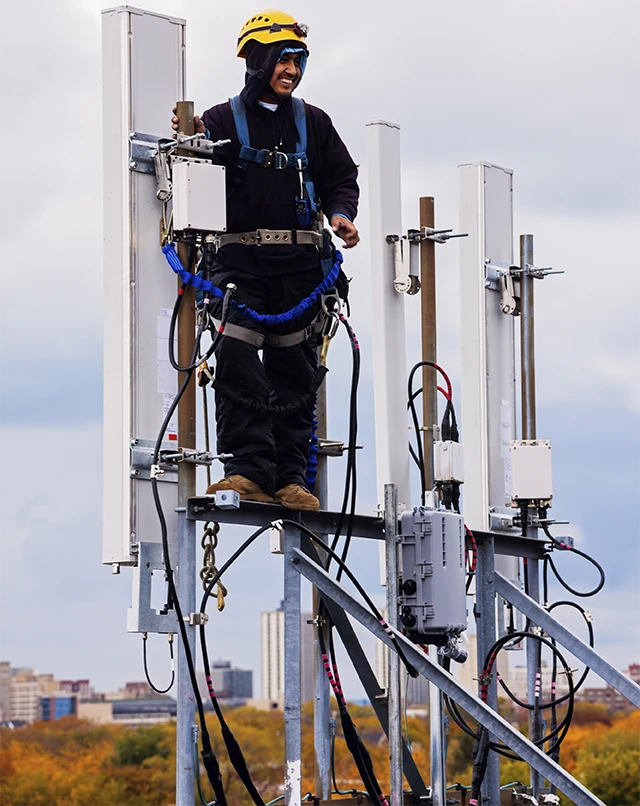
Old copper telephone lines are becoming less common as Canadian telecommunications networks move toward fibre and IP-based communications. For businesses still using traditional analog phone lines, now is a good time to identify what those lines actually support before they are disconnected or replaced.
A copper phone line may look like an ordinary telephone connection. However, it could also support a fax machine, alarm system, elevator emergency phone, door entry system, point-of-sale equipment, modem, or another piece of legacy equipment.
Disconnecting an unused-looking line without checking what it supports can create an unexpected business problem.
The first step is simple: inventory every phone number and physical line before making changes.
Why Are Old Copper Phone Lines Being Replaced?
Traditional copper networks are increasingly being replaced by newer fibre and IP-based infrastructure.
Canadian telecommunications providers have been modernizing legacy networks, and recent CRTC decisions address the transition away from older copper facilities and legacy telephone services.
This transition can provide access to newer technologies and services. However, businesses using older equipment need to understand how their existing services will be affected.
A business should not assume that an old telephone line is no longer important simply because it is rarely used for voice calls.
What Is a POTS Line?
POTS stands for Plain Old Telephone Service.
It refers to traditional analog telephone service delivered over conventional telephone infrastructure.
Businesses may still have POTS lines connected to equipment that does not look like a traditional telephone system.
Examples include:
- Fax machines
- Alarm panels
- Elevator emergency phones
- Door entry systems
- Intercoms
- Point-of-sale equipment
- Older modems
- Monitoring equipment
- Legacy business phone systems
This is why a POTS replacement project should begin with an equipment and number inventory rather than simply cancelling old telephone lines.
Start With Every Telephone Number on the Bill
Before disconnecting copper service, review every telephone number associated with the business.
An unfamiliar number does not necessarily mean the service is unused.
It could be:
- A fax number
- An alarm line
- An elevator emergency line
- A direct business number
- A forwarding number
- A published customer-service number
- A number associated with legacy equipment
Long-established business telephone numbers can also have value beyond the cost of the monthly service.
A number may appear on:
- Company websites
- Business cards
- Vehicle signage
- Printed materials
- Invoices
- Customer records
- Advertising
- Building signage
Identify the purpose of every number before cancelling it.
Check What Is Connected to Each Copper Line
Once the numbers have been identified, trace each physical line to the equipment it supports.
Some analog connections are easy to overlook because they are not connected to desk phones.
Alarm and Security Systems
Older alarm systems may use an analog telephone line to communicate with a monitoring centre.
Before replacing the line, contact the alarm provider and confirm which communication method the system supports.
Do not assume that an analog-to-digital conversion will work without checking the equipment.
Elevator Emergency Phones
Elevator emergency communication requires special attention.
The appropriate replacement depends on the elevator equipment, service provider, jurisdictional requirements, and available communications technology.
An elevator emergency line should therefore be assessed separately rather than treated like an ordinary office telephone line.
Fax Machines
Fax remains part of the workflow for some Canadian businesses and industries.
If the business still needs the fax number but no longer needs the physical fax machine, eFax may provide an alternative.
The important step is to determine whether the telephone number should be retained before cancelling the existing service.
Door Entry and Intercom Systems
Older building entry systems may use analog telephone connections to communicate with a designated number.
Check the building access system before removing the line.
Point-of-Sale and Legacy Equipment
Some older equipment may communicate over telephone lines.
Examples can include:
- Older payment equipment
- Modems
- Monitoring systems
- Specialized business equipment
- Legacy data devices
Trace the connection before deciding that the line is no longer required.
Do Not Cancel a Number Before Confirming It Can Be Moved
Sometimes the equipment can be removed while the telephone number remains important.
For example, a company may no longer use a physical fax machine but still receive documents at its established fax number.
Similarly, a long-standing direct number may continue to receive calls from customers.
Depending on the service and circumstances, a number may be ported, forwarded, or moved to a hosted communications platform.
The order matters.
Confirm the number can be migrated before cancelling the existing telephone service.
This helps reduce the risk of losing a number that customers, suppliers, employees, or other stakeholders still use.
You May Not Need to Replace Your Entire Phone System
Moving away from copper does not necessarily mean replacing every telephone system component at once.
The appropriate migration path depends on the equipment currently installed and the business’s long-term communications requirements.
Several options may be available.
Hosted Phone System
A Hosted PBX or Cloud Phone System can replace an aging on-premises telephone system with a cloud-based communications platform.
This can be appropriate for businesses that want to modernize their phone system rather than maintain legacy equipment.
SIP Trunking
Businesses that want to retain a compatible existing PBX may be able to use SIP Trunking.
SIP can replace traditional telephone carrier connections while allowing the business to continue using compatible phone-system equipment.
This can provide a gradual migration path rather than requiring a complete phone-system replacement immediately.
Microsoft Teams Calling
Organizations already using Microsoft Teams may also evaluate Teams-based business calling.
This can integrate voice communications into an existing collaboration environment, depending on the organization’s requirements and configuration.
Check Your Internet Connection Before Moving to IP Voice
Traditional analog telephone service and IP-based communications have different network dependencies.
When a business moves voice services to SIP, hosted voice, or another IP-based platform, its Internet connection becomes part of the communications path.
That means businesses should review:
- Internet bandwidth
- Network reliability
- Latency
- Packet loss
- Jitter
- Firewall configuration
- Network switches
- Quality of Service
- Backup connectivity
A reliable Internet connection is particularly important when voice communications are critical to business operations.
Consider Internet Redundancy
If business phone service depends on an Internet connection, an Internet outage can potentially affect voice communications as well.
For that reason, businesses should consider whether they need Internet redundancy as part of their migration plan.
A common configuration is:
Primary Internet + 5G/LTE Backup
Another option may be:
Fibre + Fixed Wireless
The appropriate configuration depends on the business location, available services, network design, and operational requirements.
The goal is to avoid replacing a copper line with an IP-based system without considering what happens if the primary Internet connection fails.
Review Power Requirements
Legacy telephone networks and modern IP communications can have different power requirements.
When a business moves from traditional analog service to IP-based communications, devices such as phones, switches, routers, firewalls, and other network equipment may require local power.
Businesses should therefore review:
- UPS protection
- Backup power
- Network equipment power requirements
- Internet equipment
- Phone system equipment
- Emergency communication requirements
Power protection should be considered during the migration rather than after an outage occurs.
What Should Businesses Check Before Replacing Copper Phone Lines?
Use this checklist before cancelling or migrating an old telephone line:
Telephone Numbers
- List every telephone number.
- Identify the purpose of each number.
- Check whether customers or suppliers still use it.
- Identify published numbers.
- Confirm whether the number needs to be retained or ported.
Equipment
- Identify every device connected to the line.
- Check fax equipment.
- Check alarm systems.
- Check elevator emergency phones.
- Check door entry systems.
- Check intercoms.
- Check point-of-sale equipment.
- Check older modems and specialized equipment.
Replacement Services
- Determine whether the equipment can support IP connectivity.
- Evaluate SIP Trunking.
- Evaluate a Hosted PBX or Cloud Phone System.
- Consider Microsoft Teams Calling where appropriate.
- Evaluate eFax if physical fax equipment is no longer required.
Network
- Review Internet bandwidth.
- Check network reliability.
- Review latency, packet loss, and jitter.
- Confirm firewall and network compatibility.
- Evaluate backup Internet connectivity.
Power and Business Continuity
- Review UPS protection.
- Check backup power requirements.
- Identify emergency communications.
- Plan for Internet outages.
- Confirm the migration will not interrupt critical business services.
A Simple POTS Replacement Audit Can Prevent a Difficult Cutover
The most important part of a copper phone line migration is often not the technology.
It is understanding what the existing service actually does.
Start by listing the numbers.
Then trace the physical lines.
Next, identify the equipment connected to them.
Finally, decide which services should be:
Retained → Ported → Replaced → Disconnected
This simple process can prevent an important business service from disappearing unexpectedly.
What Happens to Business Phone Numbers After Copper Is Replaced?
Replacing a physical telephone line does not automatically mean a business has to abandon its existing telephone number.
Depending on the service and provider, business numbers may be eligible for number porting to another carrier or communications platform.
Businesses should confirm porting eligibility before cancelling their existing service.
This is particularly important for:
- Main business numbers
- Customer-service numbers
- Direct employee numbers
- Fax numbers
- Published numbers
- Long-standing local numbers
A number that has been used for years can be an important part of a company’s customer communication strategy.
Why Businesses Should Plan Their Copper-to-IP Migration Early
Waiting until a legacy line stops working can create unnecessary pressure.
A planned migration gives businesses time to:
- Identify existing services.
- Test replacement equipment.
- Confirm telephone-number portability.
- Evaluate Internet requirements.
- Configure backup connectivity.
- Test emergency communications.
- Train employees.
- Schedule the cutover.
- Confirm that critical systems continue to operate.
The CRTC has recognized that business users migrating from legacy services may need to procure new equipment or software, revise internal processes, and retrain staff.
Planning ahead can therefore make the transition more controlled and predictable.
How iTeraTEL Can Help With Copper Phone Line Replacement
iTeraTEL supports businesses transitioning from legacy telephone services to modern communications technologies.
Depending on the existing infrastructure, businesses can evaluate solutions such as:
- Cloud Phone Systems
- Hosted PBX
- SIP Trunking
- eFax
- Microsoft Teams Calling
- Business Internet
- Dedicated Internet Access
- 5G/LTE Backup Internet
The appropriate solution depends on the business’s existing phone system, equipment, telephone numbers, Internet connection, and long-term communications strategy.
The technology migration itself is often manageable.
The more important step is identifying every service currently connected to the old copper infrastructure before the line is disconnected.
Ready to Replace an Old Business Phone Line?
If your business still uses copper telephone lines, start by identifying what those lines support.
Review the numbers.
Trace the equipment.
Confirm which services must remain.
Then determine whether SIP Trunking, Hosted PBX, Cloud Phone, Microsoft Teams Calling, eFax, or another solution is appropriate.
A planned copper-to-IP migration can help your business modernize communications while protecting important telephone numbers, equipment, and business services.