
Does Your Business Still Need Desk Phones? Maybe.
Desk Phones, Cloud Calling, or Both? Choose the Right Business Phone Setup
Does Your Business Still Need Desk Phones? Maybe.
February 11, 2025
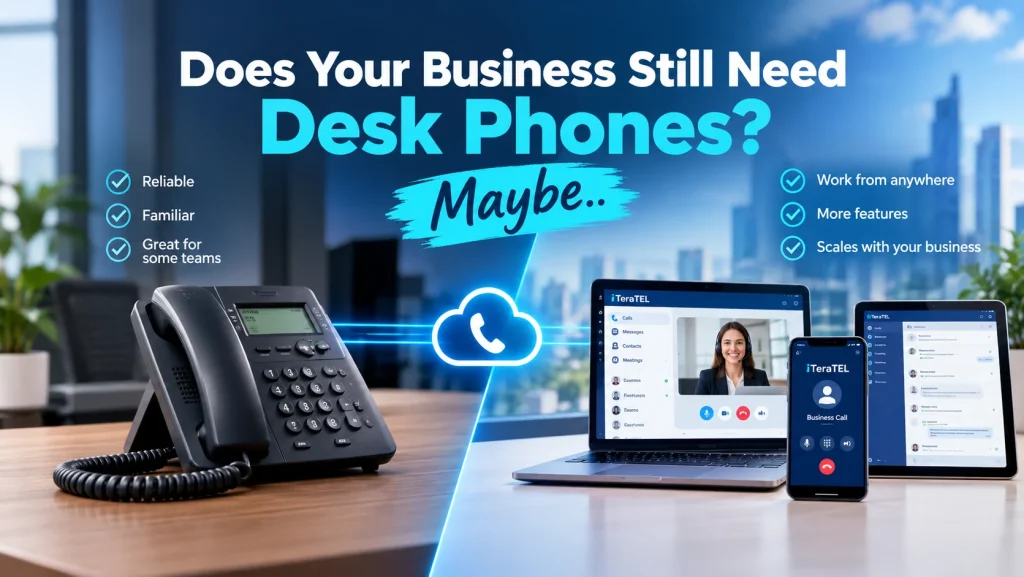
Desk phones are no longer essential for every employee, but they still have an important role in many Canadian businesses. The better question is not whether desk phones are disappearing. It is which employees actually need one.
Modern business communications give organizations more choices than ever.
Employees can make and receive business calls using:
- IP desk phones
- Microsoft Teams
- Cloud phone applications
- Mobile devices
- Computer softphones
- Headsets
- Conference phones
For some employees, a physical phone remains the simplest option. For others, a headset and business calling application may be all they need.
The right approach depends on how each person works.
Do Businesses Still Need Desk Phones?
In many cases, yes.
However, businesses do not necessarily need to provide a desk phone to every employee.
A receptionist who answers dozens of incoming calls may benefit from a physical phone.
A warehouse employee may need a simple shared-area phone.
A salesperson who spends most of the day in Microsoft Teams may prefer a headset and computer-based calling.
A remote employee may rarely need a physical phone at all.
Instead of choosing one device for everyone, businesses can build a hybrid business phone system around different user requirements.
Desk Phones vs. Cloud Calling
Traditional business phone systems often required a physical telephone at each workstation.
Cloud communications have changed that model.
With a modern cloud phone system, employees can use a business number from a desk phone, computer, or mobile device, depending on the configuration.
This gives businesses more flexibility when employees work from:
- The office
- Home
- Multiple locations
- Customer sites
- Warehouses
- Retail locations
- Shared workspaces
A physical desk phone can remain part of the system without being the only way to make a business call.
Which Employees Still Benefit From Desk Phones?
A physical phone can make sense when employees need quick, reliable access to voice communications throughout the day.
Receptionists
Receptionists often manage incoming calls, transfers, hold functions, and multiple extensions.
A physical phone can make these tasks straightforward and efficient.
Customer Service Teams
Customer service employees who spend most of their working day on voice calls may prefer a dedicated phone or headset.
Managers and Executives
Some managers and executives prefer a physical handset because it provides a familiar calling experience without requiring a computer.
Warehouse and Manufacturing Employees
Employees working away from traditional office desks may need a shared or cordless phone that is easy to access.
Retail and Front-Counter Employees
A physical phone can be useful for employees who need to answer business calls while continuing to serve customers.
Common Areas
Businesses may also need phones in:
- Reception areas
- Conference rooms
- Lobbies
- Warehouses
- Shipping departments
- Break areas
- Security areas
These locations do not necessarily require an individual employee phone.
Which Employees May Not Need a Desk Phone?
Other employees may have little need for a physical handset.
For example, an employee who primarily works in Microsoft Teams may already have the tools needed to make and receive business calls from a computer or mobile device.
This can apply to:
- Sales teams
- Remote employees
- Administrative staff
- Consultants
- Managers
- Hybrid workers
- Employees who spend significant time away from their desks
For these users, a headset and software-based calling may be more practical than another physical device.
Microsoft Teams Can Work Alongside Desk Phones
Businesses do not have to choose between Microsoft Teams and desk phones.
A hybrid environment can support both.
For example:
Sales Team → Microsoft Teams
Reception → IP Desk Phone
Warehouse → Cordless Phone
Executives → Desk Phone or Teams
Remote Employees → Teams + Mobile
All users can remain part of the same business phone system.
iTeraTEL’s Enterprise Microsoft Teams Calling solution specifically supports this type of mixed environment, allowing some employees to use Teams while others continue using regular IP phones.
This means businesses can select the communication method that best fits each role rather than forcing every employee onto the same device.
What Is a Cloud Phone System?
A Cloud Phone System, also known as a Hosted PBX, moves the business phone system into a hosted environment.
Instead of maintaining all phone-system infrastructure on-site, the provider hosts the core platform.
Employees can then use compatible desk phones, computers, mobile devices, or other supported endpoints.
iTeraTEL’s Cloud Phone System supports voice, text, video, email, fax, and meetings through a cloud-based communications platform. It also supports multiple hardware options, including IP desk phones, cordless phones, conference phones, and analog adapters.
This allows a business to modernize its phone system without necessarily eliminating physical phones.
What Are the Advantages of Keeping Desk Phones?
There are still practical reasons to maintain physical phones.
Easy Call Handling
A desk phone provides dedicated buttons for functions such as hold, transfer, mute, and speakerphone.
Familiar User Experience
Employees who have used desk phones for years may find physical controls easier and more intuitive.
Dedicated Business Device
A physical phone separates business calling from a personal computer or mobile device.
Shared Locations
A shared phone can serve employees who do not have assigned desks.
High-Volume Calling
Employees who spend much of their day handling calls may prefer dedicated voice hardware.
What Are the Advantages of Cloud and Software-Based Calling?
Software-based calling provides a different set of advantages.
Mobility
Employees can make and receive business calls from different locations.
Flexibility
Businesses can assign different calling methods to different employees.
Easier Expansion
Adding users can be simpler when the phone system is cloud-based.
Remote Work
Employees can continue using business communications away from the office.
Multiple Devices
Depending on the platform, users can move between computers, mobile devices, and physical phones.
Do You Need a Desk Phone for a Business Phone Number?
No.
A business phone number does not necessarily have to terminate on a physical desk phone.
Depending on the phone system, a business number can be associated with:
- An IP desk phone
- Microsoft Teams
- A computer softphone
- A mobile application
- A call queue
- An auto attendant
- Multiple destinations
iTeraTEL states that existing Canadian and U.S. business numbers can be ported to its platform, allowing them to be used with its cloud communications solutions.
This means businesses can modernize the endpoint without necessarily changing the number customers already know.
What About Existing Desk Phones?
Businesses do not always need to replace existing phones immediately.
Compatibility depends on the phone model, configuration, and communications platform.
A business moving to a cloud phone system should first identify which phones can be retained and which need to be replaced.
iTeraTEL’s Cloud Phone System supports a range of IP phones, cordless phones, conference phones, and analog devices.
This can make a gradual transition possible.
What Happens If the Internet Goes Down?
This is an important consideration when moving business voice services to the cloud.
Cloud calling depends on network connectivity, so businesses should consider what happens if the office Internet connection becomes unavailable.
Possible continuity measures include:
- Call forwarding
- Mobile failover
- Backup Internet
- 5G/LTE connectivity
- Redundant Internet connections
- Multiple office locations
iTeraTEL states that its hosted voice platform can redirect incoming calls to mobile phones or other destinations if the office Internet connection is unavailable, and it also offers LTE backup options.
For businesses where voice communications are critical, backup Internet should be considered part of the phone-system design.
Desk Phones vs. Teams vs. Mobile: Which Is Right?
There is no single answer for every employee.
| User Type | Potentially Suitable Option |
|---|---|
| Receptionist | IP desk phone |
| Executive | Desk phone, Teams, or both |
| Sales employee | Teams + headset |
| Remote employee | Teams or mobile |
| Warehouse employee | Cordless/shared phone |
| Customer service agent | IP phone or softphone |
| Conference room | Conference phone |
| Common area | Shared IP phone |
The best configuration depends on the employee’s responsibilities and work environment.
A Hybrid Phone System May Make More Sense
Businesses sometimes assume they must choose between traditional phones and cloud communications.
They do not.
A modern business phone system can combine multiple endpoints.
For example:
IP Desk Phones + Microsoft Teams + Mobile App + Cloud PBX
This approach allows businesses to match the communications tool to the employee.
The receptionist can use a physical phone.
The sales team can use Teams.
Remote employees can use mobile or computer applications.
Warehouse employees can use cordless phones.
Everyone can remain connected to the same business phone system.
How to Decide Who Needs a Desk Phone
Instead of counting employees, evaluate how each employee works.
Ask:
- Does the employee answer incoming calls?
- Does the employee transfer calls frequently?
- Does the employee spend most of the day on voice calls?
- Does the employee work primarily from a desk?
- Does the employee work in a shared or common area?
- Does the employee work remotely?
- Does the employee already use Microsoft Teams?
- Does the employee need a dedicated business device?
- Does the employee need mobility?
- Would a headset or mobile application be more practical?
These questions can help determine where physical phones still provide value.
Do Businesses Need To Replace Every Desk Phone?
No.
A business can modernize its phone system gradually.
For example, a company could:
- Move its phone service to a cloud platform.
- Keep compatible existing IP phones.
- Provide Teams calling to selected employees.
- Replace older phones as they reach the end of their useful life.
- Add new phones only where they are actually needed.
This approach can reduce unnecessary hardware purchases while allowing the organization to modernize its communications infrastructure.
The Future of Business Phones Is Not Necessarily Phone-Free
The workplace is becoming more flexible, but that does not mean physical phones have disappeared.
Instead, businesses now have more choices.
Some employees need a physical handset.
Others work better with Teams.
Some need mobile communications.
Others need a shared phone in a warehouse or reception area.
The modern business phone system is therefore less about choosing one device for everyone and more about matching the right communication method to each user.
How iTeraTEL Supports Modern Business Phone Systems
iTeraTEL provides cloud communications solutions that support a mix of desk phones, mobile applications, and software-based calling.
Its business communications portfolio includes:
- Cloud Phone Services
- Hosted PBX
- SIP Trunking
- Microsoft Teams Calling
- Enterprise Managed Voice
- Contact Centre Solutions
- iTeraMobile
The platform supports different hardware and software options, allowing businesses to build a communications environment around their employees rather than requiring everyone to use the same device.
So, Does Your Business Still Need Desk Phones?
Maybe.
The answer depends on the employee, the workplace, and the type of calls being handled.
A receptionist may benefit from a physical phone.
A warehouse may need a cordless or shared phone.
A sales employee may prefer Microsoft Teams.
A remote employee may only need a computer or mobile application.
There is no need to choose one solution for everyone.
The better approach is to build a flexible business phone system that combines desk phones, cloud calling, Teams, and mobile communications where each option makes sense.
Need Help Planning Your Business Phone System?
iTeraTEL can help Canadian businesses evaluate their existing phone environment and determine where desk phones, cloud calling, Microsoft Teams, SIP Trunking, or mobile communications fit.
The goal is not to eliminate desk phones.
It is to make sure your business is using the right communication tools for the right employees.